Sync staging to production
without touching the rest of your database.
By Jon B.· Updated
Short answer
You can sync WordPress staging to production without overwriting the database by pushing individual pages instead of tables. EZ Page Sync sends only the pages you pick, with their custom fields and media, through WordPress core APIs. Live users, comments, orders, and form entries stay as they are.
Traditional WordPress staging tools force a blunt full-database replacement that wipes live comments, new customer accounts, and form entries. EZ Page Sync selectively pushes only the exact pages, custom post types, and metadata you choose — leaving the rest of your live database completely untouched.
Key Specifications
The Problem
Why is a full database push dangerous?
When you use standard host staging tools or full-database migration plugins, you take massive risks with live data.
Full Database Overwrites Wipe Live Activity
Pushing an entire database backup from staging overwrites all new live data created since the staging clone was made — including user signups, form submissions, and analytics.
Risky Search & Replace Scripts
Clumsy SQL search-and-replace scripts frequently corrupt PHP serialized data strings, causing fatal PHP errors or broken page layouts across live pages.
Downtime and Maintenance Mode Lockouts
Full database imports require placing the live site into maintenance mode, disrupting visitors and risking lost traffic during high-value hours.
The Solution
How does EZ Page Sync protect your live database?
EZ Page Sync replaces dangerous database overwrites with granular, secure REST API synchronization.
Targeted Page & Post Selection
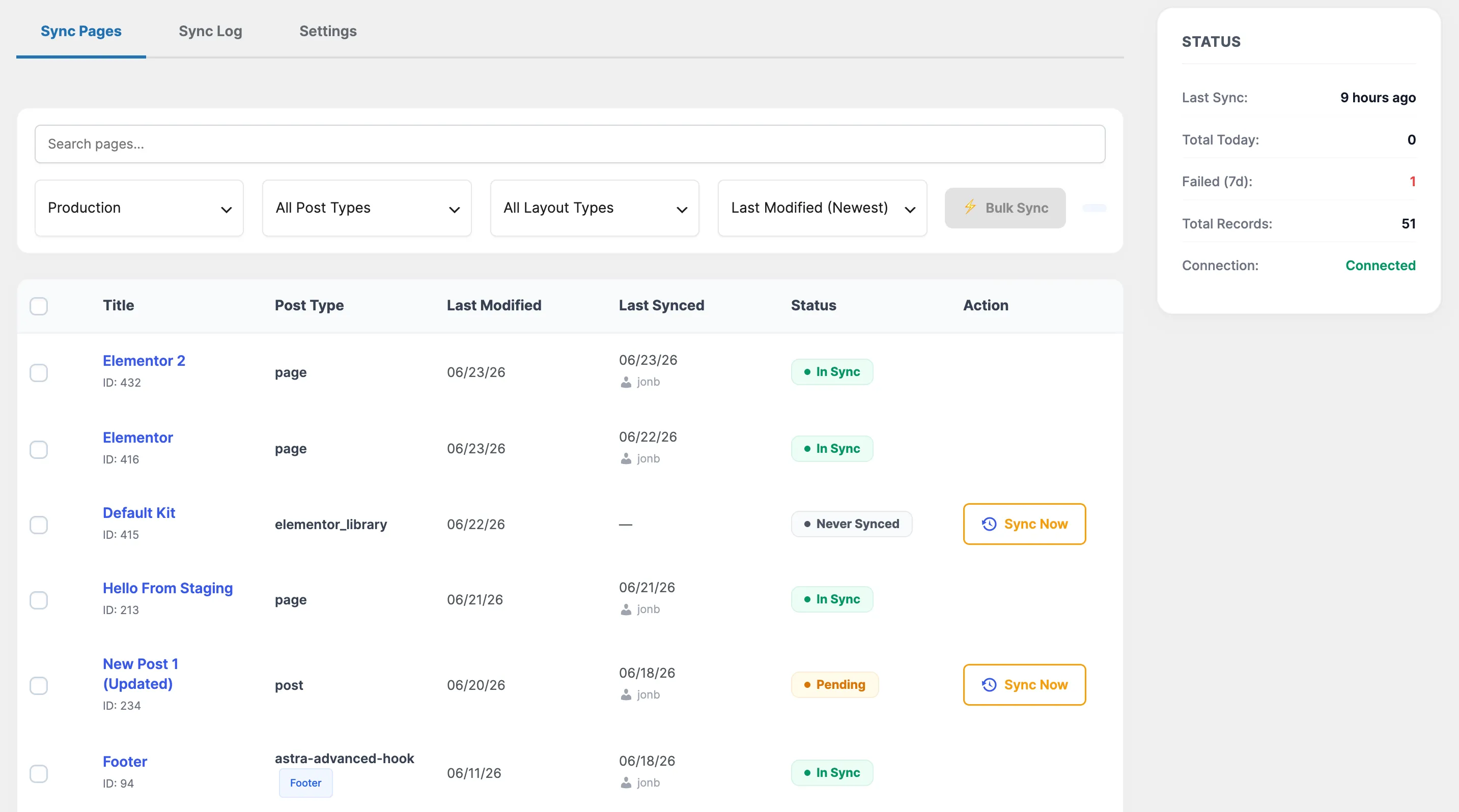
Select the exact pages or posts you edited on staging. Only their rows, revision metadata, custom fields, and media attachments are transmitted.
Zero Interruption to Live Tables
Other tables (`wp_users`, `wp_comments`, custom plugin tables, options) remain untouched. Live transactions continue without a blip.
Pre-Flight Snapshot & Automatic Rollback
Before applying incoming content on production, EZ Page Sync takes an isolated snapshot of the targeted post. If anything looks off, revert instantly with one click.
Cryptographic HMAC-SHA256 Security
Sync calls are authenticated using SHA-256 HMAC signatures, 10-minute replay-protected nonces, and optional CIDR IP whitelisting.
Workflow
How does it work in practice?
Build and Test on Staging
Edit your landing page, block patterns, or design updates safely on your staging site without touching production.
Click 'Sync to Production'
Open the page edit screen or the bulk sync manager and select your production destination site.
Instant Verification & Live Update
EZ Page Sync verifies the HMAC token, snapshots the original page, transfers custom meta and media, and updates the live page in seconds.
How does it compare to a full database push?
| Feature | EZ Page Sync | a full database push |
|---|---|---|
| What moves | Only the pages you select | Every table |
| Live orders and form entries | Left in place | Replaced by staging's copy |
| Maintenance mode | Not required | Often required |
| Undo | One-click page rollback | Restore a full backup |
Frequently Asked Questions
Questions about Database Protection
Why shouldn't I just use my host's 'Push to Live' button?
Host 'Push to Live' features almost always perform a raw database copy or table overwrite. If someone submits a form, creates an account, or places an order on production while you were building on staging, that live data is permanently lost. EZ Page Sync updates only the specific post IDs you want to push.
Does EZ Page Sync modify database tables or schemas?
No. EZ Page Sync uses standard WordPress Core APIs (`wp_insert_post`, `update_post_meta`, `wp_set_object_terms`) to write data safely, preserving table structure and foreign keys.
What happens if a sync fails halfway through?
Because every sync request is atomic and backed by an automatic snapshot in the Rollback Manager, you can immediately restore the previous revision on production with zero lingering side effects.